 How-to
How to Buy Professional Medical Equipment Online
Last Updated: November 7, 2026
Quick Summary
To buy professional medical equipment online safely, first write a precise specification covering the clinical use, users, location and required features. Then verify the supplier's legal entity, manufacturer authorisation and regulatory status before paying. Compare total cost of ownership, not just the sticker price, and inspect and document every delivery.
- Write a one-page specification covering use case, features, warranty and quantity before shopping.
- Verify the seller's legal entity, business registration and manufacturer authorisation before ordering.
- Request the data sheet, clearance number and warranty certificate before paying.
- Compare total cost of ownership, including shipping, warranty, accessories and replacement parts.
- Inspect deliveries on arrival and record serial numbers in an asset register.
Table of Contents
- Start With a Clear Equipment Specification
- Vet the Online Supplier Before You Order
- Compare Distributors and Build a Shortlist
- Compare Pricing, Discounts and Total Cost of Ownership
- Set Up Bulk and Wholesale Orders Correctly
- Receive, Inspect and Set Up Your Equipment
- Place Your First Order With E&E Medicals
- Frequently Asked Questions
Start With a Clear Equipment Specification
Buying professional medical equipment online can be faster than traditional procurement, but only if you know exactly what you need before you click "add to cart." Before you decide, you can browse our full catalog of medical supplies and equipment to see what is available.
A clear specification answers four questions. What is the clinical task? Who will use the device? Where will it live? And what must it integrate with? A digital stethoscope for a busy urgent care clinic has different requirements than one for a home health nurse who travels between patients.
Write the specification down before opening any supplier site. Include the model family you are considering, required features such as connectivity or battery life, warranty length, and the number of units.
Quick specification checklist:
- Clinical use case and department
- Required features and must-have accessories
- Warranty minimum (we suggest at least one year)
- Operating and storage environment
- Quantity and replacement cycle
Keep the specification short, one page at most. Share it with anyone who approves purchases so that approvals move quickly.
Vet the Online Supplier Before You Order
Not every website selling medical equipment is a legitimate distributor. Vetting the supplier takes less time than correcting a bad order, and it protects patients as much as your budget. Treat the workflow below as your due-diligence checklist before any professional purchase.
Start with basic business verification. A real supplier lists a physical address, a business registration number, and a working phone line. Look for a clear returns policy and a warranty statement that names who honours it. If those details are missing or buried, treat that as a warning sign.
A Five-Step Supplier Verification Workflow
- Confirm the legal entity. Match the business name on the website to the name on the invoice, the business registration record, and the payment processor. A mismatch is a stop signal.
- Check manufacturer authorisation. For devices from established brands, ask whether the seller is an authorised distributor. Authorised channels usually publish brand relationships and can confirm them in writing.
- Verify regulatory status. For products sold in the United States, use the US FDA device database to confirm clearance or approval status where applicable. For other regions, ask for the applicable regulatory mark and the certificate number.
- Request documentation before payment. Ask for the manufacturer's data sheet, the regulatory clearance number where applicable, the warranty certificate, and any safety or recall notices for the model.
- Test support before you buy. Send a pre-sales question about compatibility, lead time, or warranty handling. Slow or evasive answers are a preview of after-sale support.
Checking Credentials, Licensing and Product Documentation
Professional buyers should expect documentation for every device. Ask suppliers for the manufacturer's data sheet, the regulatory clearance number where applicable, and the warranty certificate.
Check whether certain products have use restrictions, such as being limited to licensed practitioners or requiring a clinic account. A supplier that ships restricted equipment to anyone who clicks checkout is not a supplier you want to rely on.
Confirm that product listings match what you will receive. Compare the model number, tubing colour, accessories and warranty term against the manufacturer's own listing. Keep a copy of the listing page and the manufacturer's data sheet with your purchase records so that any later discrepancy is documented.
Watch out: a listing that shows a brand name but no model number, or a photo that does not match the described accessories, is a common sign of a grey-market or misrepresented product.
Spotting Fraud and Unreliable Vendors
Medical equipment fraud is common enough that buyers should plan for it. Warning signs include prices far below the market, unfamiliar brand names without model numbers, requests for payment by wire or gift card, and pressure to decide quickly.
Verify payment security before entering card details. The page address should use HTTPS, and the payment process should be handled by a recognised processor. Ask any new supplier for a written quote and an invoice that lists the seller's legal name.
Check independent reviews, but read them critically. Look for reviews that mention delivery timing, product condition and after-sale support, not just star ratings. A short written record of your verification steps, who you spoke to, what documents you received, and when, makes the decision defensible to a purchasing committee and useful if a dispute arises later.
Compare Distributors and Build a Shortlist
Once you know what you need and which suppliers pass basic checks, build a shortlist of three to five distributors. Comparing more than that usually costs more time than it saves.
Use the same criteria for each supplier so the comparison stays fair:
- Product range for your specific category
- Verified manufacturer authorisation
- Delivery times and tracking
- Warranty and returns handling
- Account support for professional buyers
- Payment terms for invoiced orders
For a concrete reference point, look at how a professional listing is structured. The 3M™ Littmann® CORE Digital Stethoscope, 8480, High Polish Copper-finish Chestpiece, Black Tube is listed at $325.99 with a stated 5-year warranty, Bluetooth connectivity and up to 60 hours of battery life.
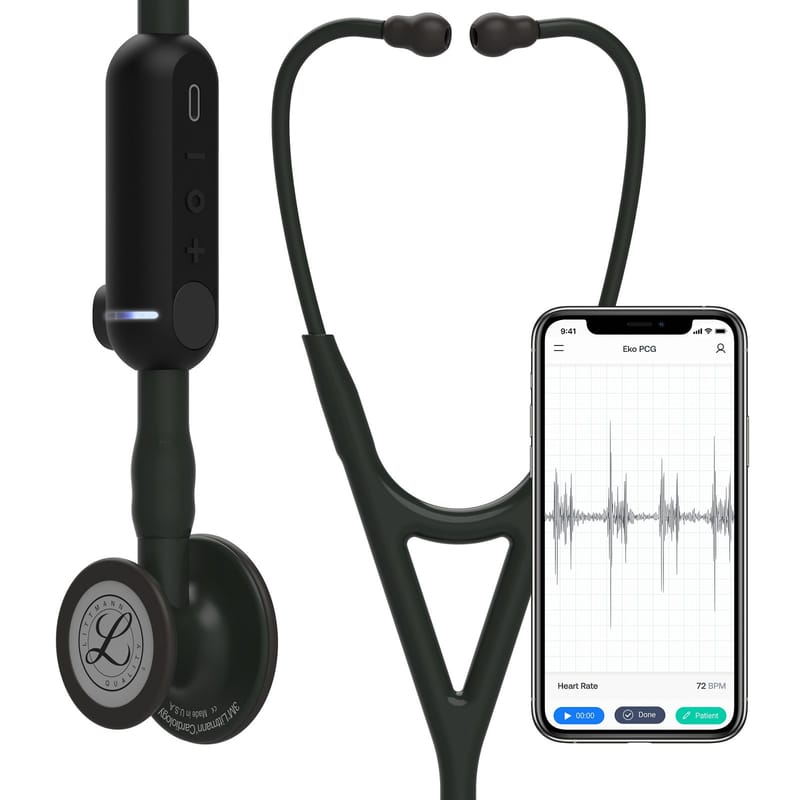
Record each supplier's answers in a simple table. The table makes the final decision easier to defend to a purchasing committee.
Compare Pricing, Discounts and Total Cost of Ownership
The sticker price is the start of the calculation, not the end. Total cost of ownership includes shipping, warranty coverage, accessories, consumables, training, and the cost of downtime if a device fails.
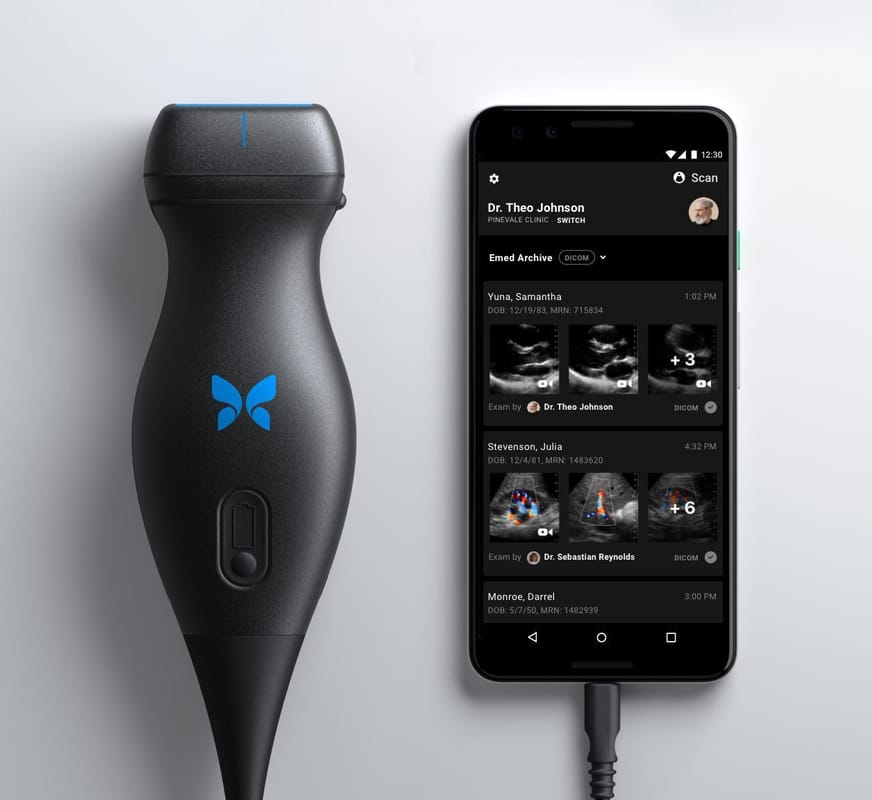
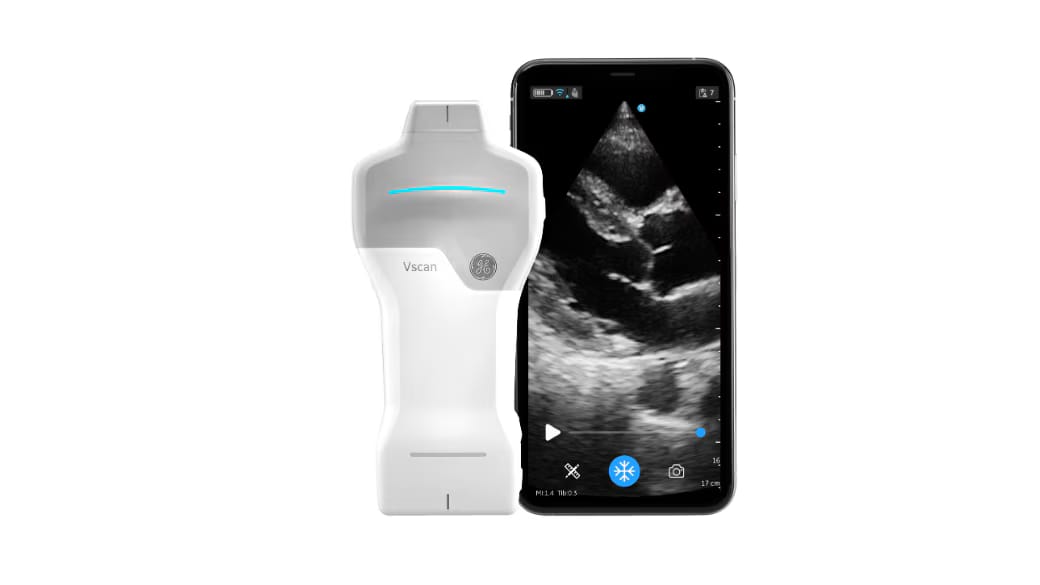
Compare line items directly, including warranty length and included features. Ultrasound purchases follow the same logic on a larger scale. The Butterfly iQ+ is listed at $2,897.00, and the Vscan Air SL at $4,790.00. The right choice depends on imaging needs, portability and software costs, not the headline figure alone.
Ask every supplier about volume discounts, multi-unit pricing, and whether discounts apply to professional accounts. Get written confirmation before you place the order.
| Cost item | What to check |
|---|---|
| Purchase price | Listed price versus quoted price |
| Shipping | Included or extra, and insurance |
| Warranty | Length and who handles claims |
| Accessories | Included or sold separately |
| Software or subscriptions | Annual fees, if any |
| Replacement parts | Availability and lead time |
Build a simple budget model for each shortlisted option. Include a line for expected repairs or replacements over three years.
Set Up Bulk and Wholesale Orders Correctly
Bulk purchasing lowers unit cost, but poor planning can lock money into stock you do not need. Set order quantities based on actual usage over the past six to twelve months, not on estimates. A medical supply inventory management guide can help you track stock levels so you neither over- nor under-order.
Confirm wholesale terms in writing. Check the minimum order quantity, whether pricing holds for the full order, how partial deliveries are handled, and whether you can split shipments across locations. Before committing, read about on-time delivery guarantees for medical supplies. For supplies with expiry dates, ask about shelf life at delivery.
Standing replenishment orders reduce administrative work. Many professional suppliers offer scheduled deliveries for consumables. Set reorder points so stock never falls below the level your team needs.
Keep an inventory log that records what arrived, when it arrived, the lot or serial numbers, and where each item is stored. This log supports recalls, warranty claims and audits.
Receive, Inspect and Set Up Your Equipment
When the delivery arrives, inspect it before signing the proof of delivery. Note any visible damage on the carrier's paperwork. Photograph the packaging if anything looks wrong, and contact the supplier within the period stated in their returns policy.

Check the contents against the packing slip and your original order. Confirm the model number, serial number, accessories and warranty card. For a digital stethoscope, make sure the ear tips, tubing and charging accessories are included.
A Receiving Checklist for Professional Buyers
- Match the model and serial number to the order and the invoice.
- Confirm all accessories and consumables listed on the packing slip are present.
- Photograph the unboxing and any damage before discarding packaging.
- Record the delivery date, carrier, and condition on the proof of delivery.
- File the warranty card, data sheet, and regulatory documentation with the purchase record.
Setup, Calibration and First-Use Checks
Set up each device according to the manufacturer's instructions before first clinical use. Charge batteries fully, install any app or firmware updates, and register the warranty with the manufacturer. Record the device in your asset register with its purchase date and warranty expiry.
For devices that require calibration or performance verification, schedule it before the device enters patient care and record the result. Keep the calibration certificate with the asset record. For software-connected devices, confirm compatibility with your existing systems and document the firmware version in use.
Train staff on the device before it goes into patient care. A short demonstration and a written quick-reference guide prevent most early errors. Record who was trained and when, because training records are commonly requested in audits and accreditation reviews.
Recordkeeping, Recalls and Warranty Claims
Keep a single asset record for each device that includes the purchase date, supplier, invoice number, serial number, warranty expiry, calibration dates, and training records. This record supports warranty claims, recall responses, and audits.
Monitor manufacturer recall notices for the models you own. When a recall or safety notice arrives, the asset record tells you quickly which units are affected and where they are located. Follow the manufacturer's instructions for correction, and document the action taken.
Watch out: if a device fails within the warranty period, contact the supplier in writing before attempting repairs yourself, because unauthorised repair can void coverage.
Place Your First Order With E&E Medicals
With your specification written, suppliers vetted, costs compared and receiving procedures in place, you are ready to place the order. E&E Medicals and Consulting Inc supplies professional-grade medical devices and consumables, and offers secure payment processing.
Start by reviewing the product listings and matching them to your specification. Confirm quantities and pricing on the order page, then complete checkout through the secure payment process. Keep the order confirmation and invoice for your records.
Questions about product selection can be directed to E&E Medicals and Consulting Inc before you buy. Shop the current range to start your next procurement cycle with a clear specification and a supplier you have already checked.
Frequently Asked Questions
What should healthcare providers consider before buying medical equipment online?
Start by writing down the exact model, accessories, warranty terms and intended use, because a near match can fail clinical or compliance needs. Confirm the supplier can show product documentation, warranty coverage and a return policy. Check delivery timeframes and whether the supplier stocks the item or ships from a third party. Finally, compare the full cost including shipping, accessories and warranty, not only the list price, before approving the purchase.
How can I check whether an online medical equipment supplier is reliable?
Look for a verifiable business address, a named contact, clear secure payment information and published return and warranty policies. Ask for product documentation and confirm that listed items match what you will receive. Check whether the supplier states its delivery track record and what happens if a delivery deadline is missed. A supplier that avoids these questions or cannot name a responsible party should be treated as high risk.
Can businesses buy medical supplies in bulk online?
Yes. Many online suppliers offer volume pricing, recurring orders and account-based purchasing for businesses. Before ordering in bulk, confirm minimum order quantities, whether volume discounts apply to your full order, and how shipments are split. Ask whether the supplier can integrate orders with your existing inventory system. Requesting a written quote for the full bulk order makes it easier to compare suppliers accurately.
What should I check before ordering professional medical equipment?
Confirm the equipment is intended for professional use and that your staff have the credentials or training required to operate it. Check warranty length, included accessories, power and connectivity requirements, and whether the device works with your existing systems. Verify the product is supplied with the documentation your facility needs for records and compliance. A short checklist completed before checkout prevents most post-delivery problems.