 How-to
How to Fix Digital Thermometers With Inconsistent Readings
Last Updated: November 6, 2026
Quick Summary
Most inconsistent readings from digital thermometers come from measurement conditions, not faulty electronics. Poor contact, a cold probe, a low battery, or a worn sensor cause back-to-back readings to disagree, so check those in that order. If readings stay wrong after a reset and fresh battery, the device is faulty and should be replaced.
- Normal body temperature runs lower in the early morning and higher in the late afternoon.
- Wait at least 15 minutes after hot or cold drinks, food, or smoking before oral checks.
- Give a thermometer 15 to 20 minutes to reach room temperature after cold or hot storage.
- In an ice bath test, a properly working unit reads close to 0°C.
- To reset a digital thermometer, remove the battery for 30 to 60 seconds and reinsert it.
Table of Contents
- Why Your Digital Thermometer Gives Different Readings
- Measurement Technique by Thermometer Type
- When a Digital Thermometer Gives Different Readings Back to Back
- Running a Digital Oral Thermometer Accuracy Test
- How to Calibrate a Digital Thermometer at Home
- How to Reset a Digital Thermometer for Fever Checks
- Choosing a Replacement Thermometer That Holds Its Accuracy
- Frequently Asked Questions
Why Your Digital Thermometer Gives Different Readings
A digital thermometer that shows 37.2°C, then 36.8°C, then 37.5°C within minutes is telling you something. The question is whether the problem sits in the device or in how it's being used. Practice managers and home health coordinators often raise this complaint, and the answer is rarely "the thermometer is broken." Understanding why digital thermometers show inconsistent readings starts with one fact: most variation comes from measurement conditions, not from the electronics inside. Below, this guide explains how to separate normal variation from a genuine fault, test your device, and decide when to replace it.
Normal Variation Versus a Faulty Device
Normal variation is a small, explainable difference between readings taken under different conditions; a faulty device produces readings that stay wrong even when conditions are controlled.
A healthy body temperature moves throughout the day. It runs lower in the early morning and higher in the late afternoon. Activity, food, and clothing all shift it slightly. So a swing of a few tenths of a degree between two readings is expected.
A faulty device behaves differently. Its readings stay off even after you control every variable. Watch for these signs:
- The same spot gives wildly different numbers seconds apart
- Readings drift further apart the longer the unit runs
- The display flickers, dims, or shows a low-battery icon
- The unit reads far outside a normal range in a healthy person
- Results disagree with a second thermometer by a wide, repeatable margin
If your readings fall into the first group, the device is probably fine. If they match the second list, keep reading.
Measurement Technique by Thermometer Type
Every thermometer type has its own rules, and skipping them is a common cause of inconsistent readings. Treating all digital thermometers the same is a frequent mistake. They are not. Placement, timing, and contact pressure change the result more than the sensor does. The steps below are written for body thermometers first, then room and food units, because the same device logic does not apply across those contexts.
Oral, Axillary, and Rectal Placement
Oral placement is the most forgiving option for adults. Follow this sequence:
- Wait at least 15 minutes after hot or cold drinks, food, or smoking.
- Fit a probe cover if the unit uses one.
- Place the probe tip under the tongue, on one side, pushed back toward the rear pocket.
- Close the mouth and breathe through the nose.
- Hold still for the full read cycle, then note the result.
Axillary placement is common in clinics and homes but the least precise. The steps:
- Make sure the armpit is dry. Wipe away sweat or moisture.
- Place the tip deep in the armpit, skin to skin, not against clothing.
- Press the arm firmly to the body and hold it there for the full cycle.
- Note the result and add about 0.5°C if you are comparing it to an oral reading, since axillary runs cooler.
Rectal placement gives the closest match to core temperature, which is why it's standard for infants. Use a dedicated rectal unit, apply a cover, insert only as far as the manufacturer states, and hold it steady. Never use the same unit for oral and rectal checks without a thorough clean and a new cover.
Forehead and Ear Considerations
Infrared forehead and ear thermometers are fast, but they're sensitive to technique. For forehead units:
- Make sure the forehead is dry and free of hair, sweat, or cosmetics.
- Hold the unit at the distance the manual specifies, usually 2 to 5 cm.
- Sweep slowly across the center of the forehead, not the side.
- Wait 15 minutes after the patient comes in from a cold or hot outdoor environment.
For ear units:
- Check that the lens is clean and the probe cover is new.
- Pull the ear back and up for adults, back and down for young children.
- Aim straight toward the eardrum, not the side wall of the canal.
- Hold still for the full cycle.
Watch out: earwax, a poor seal, or a cold room will pull an ear reading down by a noticeable margin, so retake it once before you trust a low number. If you want to compare device types before buying, our guide to alternatives to standard clinical thermometers covers the trade-offs.
Room and Food Thermometers Are a Different Job
A digital thermometer designed for air or food is not interchangeable with a body unit, and mixing the two is a hidden source of inconsistent readings.
For room thermometers, the key variables are placement and airflow. Keep the unit away from direct sun, windows, radiators, and vents.
For food thermometers, the variables are depth and timing. Insert the probe into the thickest part of the food, avoiding bone, fat, and the pan surface.
When a Digital Thermometer Gives Different Readings Back to Back
Back-to-back readings that disagree usually point to one of four things: poor contact, a cold probe, a low battery, or a worn sensor. Work through them in that order, because the cheap fixes come first.
- Check contact. Reposition the probe and hold it still for the full cycle. Movement during measurement is the top cause of a digital thermometer giving different readings twice in a row.
- Let the probe settle. A unit stored in a cold car or a hot bag needs time to reach room temperature. Give it 15 to 20 minutes.
- Check the battery. A low battery is a classic culprit. The display may dim or the unit may reset mid-read. Swap in a fresh battery and retest.
- Inspect the probe. Look for cracks, bent tips, or built-up residue. A worn probe sends a weak resistance signal and the reading jumps.
- Retest in the same spot. If the numbers still split, the device is the problem, not the technique.
Environmental factors matter here too. Direct sun, a warm blanket, or a cold exam room all shift surface readings. Keep the unit and the patient in the same conditions for a fair test.
Dynarex Digital Thermometers →
Running a Digital Oral Thermometer Accuracy Test
A digital oral thermometer accuracy test compares your device against a known reference temperature. The standard home method is the ice bath test, and it takes about five minutes.
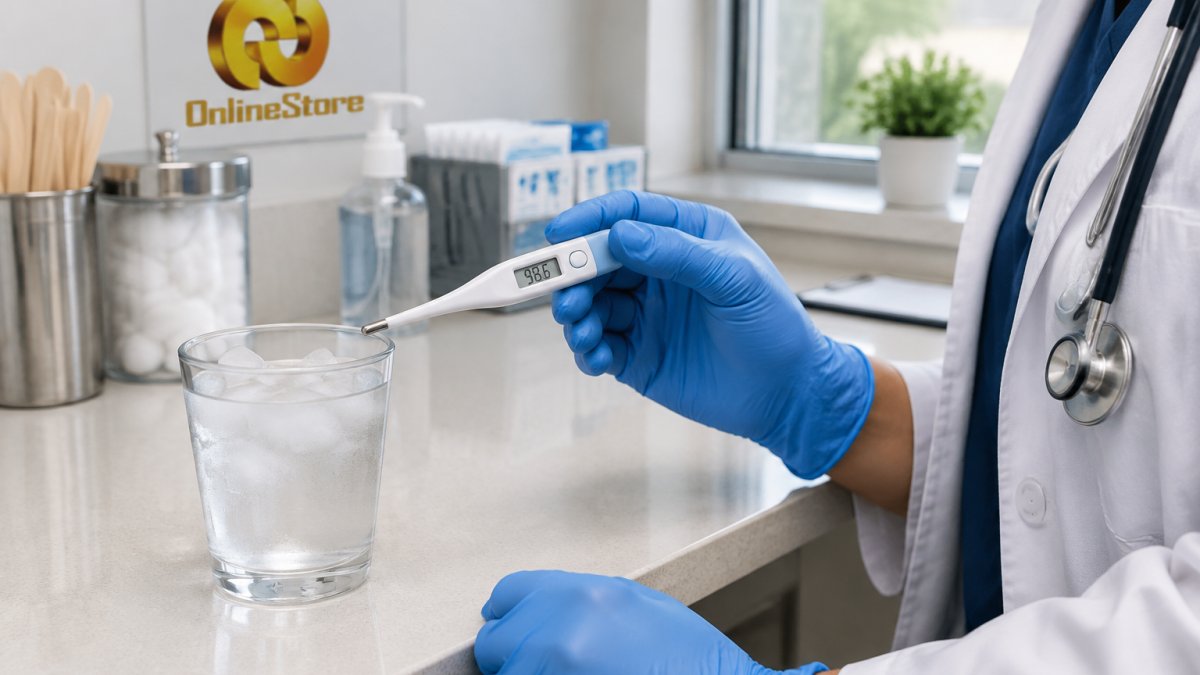
Here's how to run it:
- Fill a glass with crushed ice, then add cold water until the ice is slushy.
- Stir for a minute so the temperature evens out.
- Insert the probe at least 5 cm into the mixture, away from the sides and bottom.
- Hold it still for the full read cycle.
- Note the result. A properly working unit reads close to 0°C in an ice bath.
For a second check, use the boiling point test. Water boils at a lower temperature at high altitude, so look up your local boiling point before you judge the result.
Record the result. Repeat the test twice. If both runs land in the same off-range spot, the unit needs calibration or replacement.
How to Calibrate a Digital Thermometer at Home
Home calibration works for some units and not others. Some clinical digital thermometers have no user calibration mode. Their accuracy is set at the factory. Before you try, check the manual for a calibration or adjust function.
If your unit allows it, follow this sequence:
- Run the ice bath test and note the offset
- Enter calibration mode as the manual describes
- Adjust the reading to match the reference temperature
- Re-run the ice bath test to confirm
- Log the date and result for your records
If there's no calibration mode, you can't adjust the unit. You can only document its offset and decide whether that offset is acceptable for your use. For fever screening, a unit that reads a full degree off is not acceptable. Our guide to choosing professional grade diagnostic equipment explains what to look for in units that hold their accuracy.
How to Reset a Digital Thermometer for Fever Checks
A reset clears the memory and returns the unit to its factory setting. It does not fix a bad sensor, but it does fix glitchy behavior.
To reset a digital thermometer for fever, remove the battery for 30 to 60 seconds, reinsert it, and power the unit on. That hard reset clears the logic board's temporary state.
After the reset:
- Run the ice bath test again to confirm accuracy
- Take a reading on a healthy adult as a sanity check
- Compare against a second thermometer
- Log the result
If the unit still gives inconsistent readings after a reset and a fresh battery, stop using it for fever checks.
Choosing a Replacement Thermometer That Holds Its Accuracy
The right replacement depends on who's using it and where. A busy clinic needs speed and durability. A home health agency needs portability and clear displays. Match the unit to the job.
| Thermometer | Best For | Key Feature | Price |
|---|---|---|---|
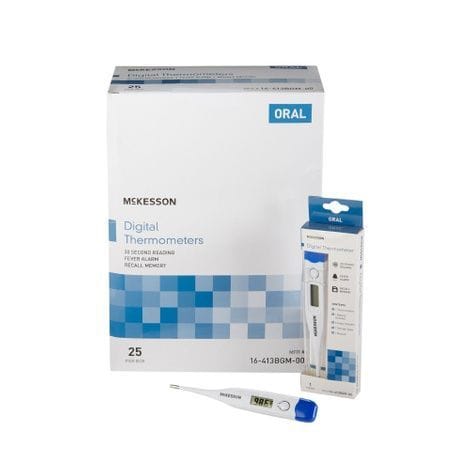
| Mckesson Digital Stick Thermometer | High-volume clinics on a tight budget | Jumbo LCD, flexible tip, water-resistant | $5.26 |
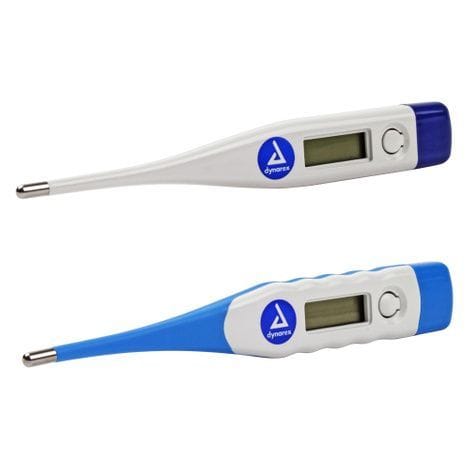
| Dynarex Digital Thermometers | General oral and axillary checks | Fast read, audible alert, auto shut-off | $36.62 |
| Vicks SpeedRead Thermometer | Fast fever checks at home or in the office | 8-second read, color-coded Fever InSight display | $27.48 |
| Medline Infrared No-Touch Forehead Thermometer | Contact-free screening in clinics and offices | No-touch forehead mode, color-coded LCD | $93.99 |
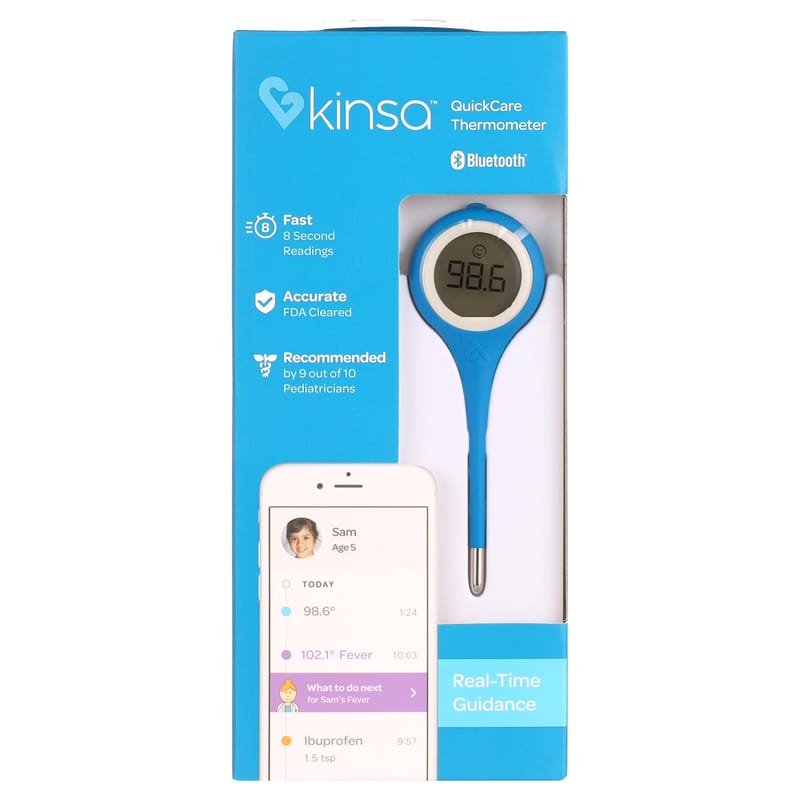
The Mckesson Digital Stick Thermometer is a budget-friendly option with a jumbo LCD display, a flexible tip, and water-resistant construction. If you want a smart option with family tracking for multi-user settings, the Kinsa QuickCare Bluetooth Smart Thermometer logs readings per person. The Dynarex Digital Thermometers provide oral and axillary temperature measurement with an audible alert and automatic shut-off.
E&E Medicals and Consulting Inc offers fast delivery and secure payments on these units.
Frequently Asked Questions
How do I tell if my digital thermometer is accurate?
Run an ice bath test: fill a glass with crushed ice and water, stir, then insert the probe and hold it without touching the sides. A reliable digital thermometer should read between 0°C and 0.5°C. Repeat the test three times; if the readings vary by more than half a degree, the device has a repeatability problem rather than a calibration one. For fever checks, compare against a second thermometer using the same site and technique.
Why does my forehead thermometer give different readings each time?
Infrared forehead thermometers measure surface temperature, so ambient conditions matter. Sweat, direct sunlight, cold air from an air conditioner, and a forehead that was just wiped with alcohol all shift the reading. Hold the device at the distance the manufacturer specifies, let the patient acclimatise to the room for 10 to 15 minutes, and clear hair from the forehead. Take two readings a minute apart and average them if they differ.
How do I reset a digital thermometer for fever?
Most digital thermometers reset by holding the power button for 3 to 5 seconds until the display clears, or by removing the battery for 30 seconds and reinserting it. This clears the last stored reading and any memory mode, but it does not recalibrate the sensor. If readings stay inconsistent after a reset and a fresh battery, the device needs an ice bath test or replacement rather than another reset.
Why does an oral thermometer give different readings?
Oral readings shift with probe placement, recent hot or cold drinks, mouth breathing, and how long the probe sits under the tongue. Place the tip in the rear sublingual pocket, close the mouth, and wait 15 minutes after eating or drinking. A soft flexible tip like the one on the McKesson Digital Stick Thermometer sits more consistently in that pocket, which reduces variation between consecutive readings.
Inconsistent readings waste time and undermine trust in your screening process. Get the right thermometer in place and the problem usually disappears. E&E Medicals and Consulting Inc offers professional-grade diagnostic equipment with affordable pricing, fast delivery, and secure payments, so your practice stays stocked and ready. Browse our digital thermometer range and get started with E&E Medicals and Consulting Inc today.