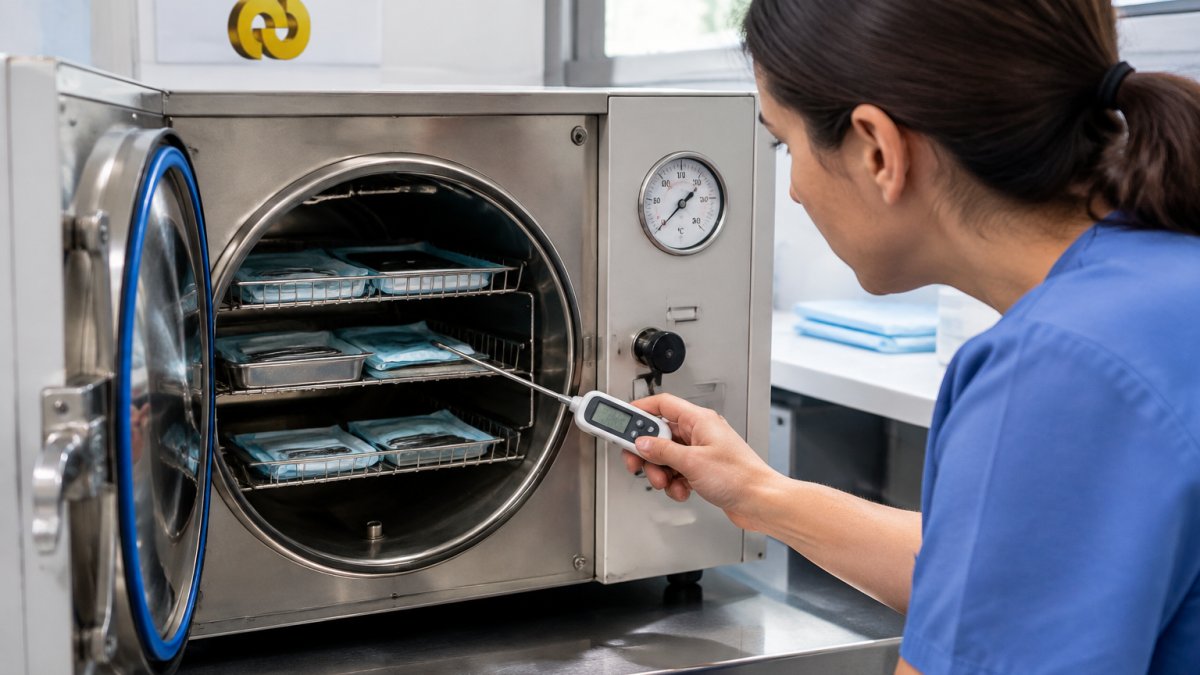
 How-to
Autoclave Not Reaching Temperature: A Clinical Troubleshooting Guide
Last Updated: November 18, 2026
Quick Summary
A clinical autoclave not reaching its target autoclave temperature is most often caused by low water, a worn door gasket leaking steam, trapped air, low steam pressure, or a drifted temperature sensor. Confirm the display reading first, then check water supply, door seal, drain strainer, and steam quality in order. Never release a load on the temperature display alone.
- Low water is the most common reason a clinical sterilizer never reaches its target temperature.
- A worn door gasket is the second most frequent cause of a chamber that won't hold temperature.
- Trapped air creates cold spots the chamber sensor may never register as reaching temperature.
- Autoclave pressure and temperature move together, so low pressure means low temperature.
- Safe operator checks include water level, door seal inspection, drain strainer cleaning, and reading codes.
Table of Contents
- Start With the Symptom: Reading Your Autoclave Temperature Display
- Water Level, Water Supply and Steam Generator Faults
- Door Gasket, Chamber Seal and Steam Leaks
- Trapped Air, Non-Condensable Gases and Air Removal
- Autoclave Pressure, Incoming Steam Pressure and Steam Quality
- Autoclave Sterilization Temperature and Time and Pressure: What the Cycle Should Look Like
- Temperature Sensors, Thermostats and Control System Faults
- Autoclave Error Codes: What They Tell You and What They Hide
- Frequently Asked Questions
Start With the Symptom: Reading Your Autoclave Temperature Display
When a clinical autoclave is not reaching its target autoclave temperature, the display is telling you a story before any part is touched. A clinical autoclave is a pressure vessel that uses saturated steam to sterilize instruments, and its temperature display reflects the chamber sensor reading during the cycle. Practices can lose hours to guesswork when the answer sits in the pattern on that screen.
Read the display in three phases: heat-up, hold, and cool-down.
- Stalls below the set point: usually water, steam supply, or heating faults
- Reaches temperature, then drops: often a leak, trapped air, or a failing sensor
- Display shows a fault code: the control system has already flagged the cause
Because the same symptom can have several causes, work through the sections below in order. Each one isolates a system before moving to the next. If you suspect the readings themselves are unreliable, our guide on how to verify medical equipment quality explains what to check before you trust the number on screen.
The first rule of clinical troubleshooting: confirm the reading before you chase the fault.
Water Level, Water Supply and Steam Generator Faults
Low water is the most common reason a clinical sterilizer never reaches its target temperature. Steam needs water, and a chamber starved of it will heat unevenly or stall entirely. Check the reservoir or supply line first, then the generator.
A common mistake is topping up mid-cycle. That interrupts the sterilization cycle and can trigger an error code.
- Reservoir models: confirm the level sits between the minimum and maximum marks
- Plumbed models: check the supply valve is open and the line is not kinked
- Steam generators: look for limescale on the element, which slows heat transfer
Mineral scale buildup is the quiet culprit. Hard water leaves deposits on heating elements and inside the generator, and those deposits act as insulation. A heating element caked in scale takes longer to heat and may never hit the set point. Regular descaling, as directed in the service manual, helps reduce these faults.
Door Gasket, Chamber Seal and Steam Leaks
A worn door gasket is the second most frequent cause of a chamber that won't hold temperature. The gasket seals the chamber, and any steam leak bleeds off the pressure that temperature depends on.
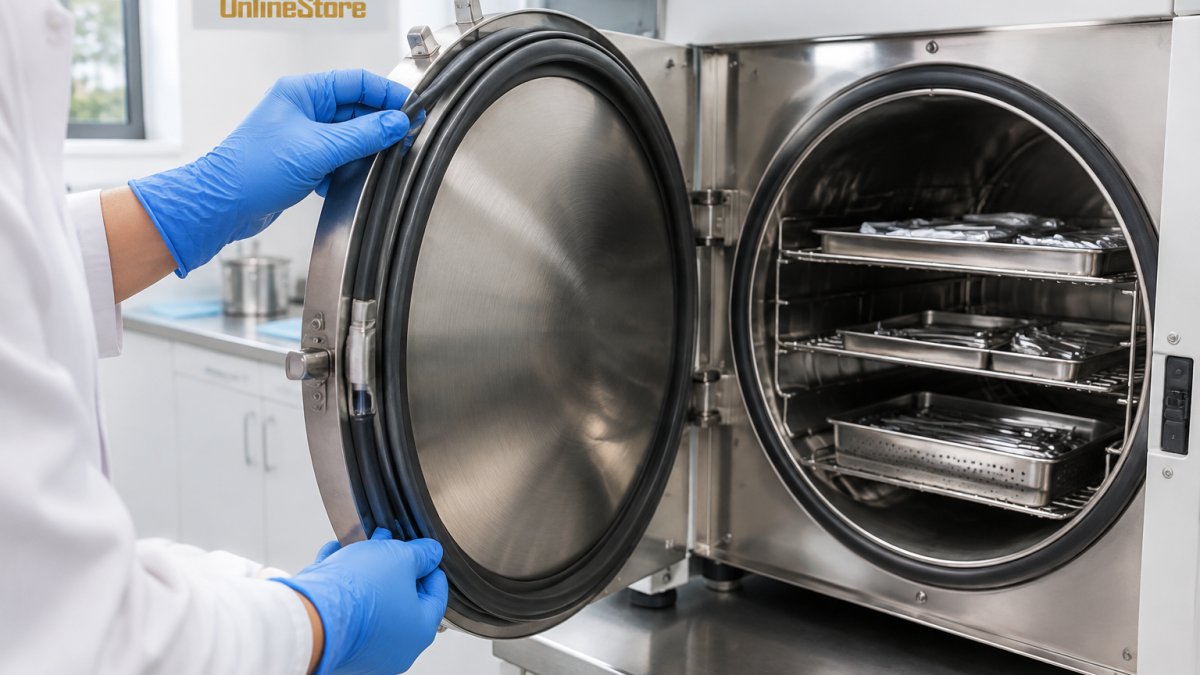
Run a simple inspection:
- Look for cracks, flattening, or hardening along the gasket edge
- Wipe the sealing surface clean of debris and dried residue
- Close the door and check for steam escaping during heat-up
- Confirm the door closes with firm, even resistance
A gasket that looks fine can still leak under pressure. If the chamber pressure gauge climbs slowly while the temperature lags, suspect a seal problem. Replace gaskets on the schedule in the service manual. A leaking seal also creates wet loads, which we'll come back to.
Trapped Air, Non-Condensable Gases and Air Removal
Trapped air is the cause most operators miss, and in a clinical setting it is the most dangerous. Air is a poor conductor of heat, and a pocket of it inside the chamber creates a cold spot that the chamber sensor may never register as reaching temperature.
Autoclaves remove air in one of two ways:
- Gravity displacement: steam fills from the top and pushes air out the bottom drain
- Pre-vacuum: a pump pulls air out before steam enters, which is why pre-vacuum cycles are faster and more reliable for wrapped and lumened loads
When air removal fails, the cycle still runs and still completes. Nothing on the display necessarily looks wrong. That is why clinical workflows depend on indicators rather than temperature alone.
Watch for these signs:
- Temperature holds at set point but a chemical indicator in the load fails
- The cycle completes faster than usual because air was never fully removed
- The load comes out wet, because trapped air and non-condensable gases interfere with steam contact and drainage
- A biological indicator fails while the physical record looks normal
Work through air removal in sequence:
- Check the drain strainer and chamber drain for lint, scale, or debris. A partially blocked drain traps air in gravity cycles.
- Confirm the door seal is not drawing air during the vacuum phase. A gasket that leaks under vacuum pulls air back into the chamber.
- Test the vacuum pump if your model uses pre-vacuum. A weak pump leaves residual air that the sensor cannot see.
- Inspect the steam supply for non-condensable gases. Poor-quality house steam can carry gases that accumulate in the chamber and insulate the load.
- Review loading practice. Overloaded chambers, trays packed too tightly, or pouches stacked flat can block air from escaping and steam from penetrating.
If air removal is suspect, do not release the load on the strength of the temperature display. Quarantine the load, document the cycle number and the indicator result, and follow your facility's infection-control policy before reprocessing.
Air removal problems often overlap with steam quality and pressure faults, so if the drain, seal, and pump check out, move to the pressure and steam-quality section next.
Autoclave Pressure, Incoming Steam Pressure and Steam Quality
Autoclave pressure and temperature move together. If the chamber pressure gauge reads low, the temperature will read low too, because saturated steam at a given pressure has a fixed temperature. That relationship is the diagnostic key.
For facilities using a house steam supply, the problem often starts upstream. Incoming steam pressure that is too low, or steam that is too wet, will starve the chamber.
- Check the supply pressure against the service manual specification
- Look for water hammer or banging in the supply line, a sign of wet steam
- Inspect the steam trap and filters for blockage
- Confirm the pressure gauge reads correctly against a known reference
Steam quality matters as much as pressure. Wet steam carries less heat per kilogram and leaves the load damp. Dry, saturated steam is what the sterilization cycle needs. If the chamber pressure is right but the temperature isn't, the sensor is the next suspect.
Autoclave Sterilization Temperature and Time and Pressure: What the Cycle Should Look Like
Autoclave sterilization temperature and time and pressure are set by the cycle type and the load, and in clinical use they are also set by your facility's validated parameters.
A healthy cycle has a clear shape:
| Phase | What You Should See | Warning Sign |
|---|---|---|
| Heat-up | Steady climb to set point | Stalls or climbs very slowly |
| Hold | Temperature flat at set point | Drifts down or fluctuates |
| Air removal | Pressure drops before steam enters | Pressure rises with air still present |
| Cool-down | Gradual release, dry load | Wet load or sudden pressure drop |
What separates a clinical autoclave from a laboratory or general sterilizer is the workflow around the cycle. Clinical loads are typically wrapped instrument sets, lumened devices, and porous packs that are harder to penetrate than open glassware.
Verification goes beyond temperature. Temperature alone does not prove sterilization, and reaching the set point is not the same as a validated cycle. Use three layers of evidence:
- Physical cycle records (temperature, pressure, and time printouts) show what the machine did, not what the load experienced.
- Chemical indicators confirm that steam reached the load and that air removal worked.
- Biological indicators confirm that the cycle actually killed spores and are the closest check on sterilization efficacy.
If the display reads correctly but an indicator fails, treat the load as non-sterile. Do not release instruments for patient use. Quarantine the load, label it clearly, document the failure with the cycle number and indicator type, and follow your facility's infection-control policy before reprocessing.
Watch out: releasing a load because the temperature display looked normal is the most common way a failed cycle reaches a patient. The display is one data point, not a release criterion.
Temperature Sensors, Thermostats and Control System Faults
A temperature sensor that has drifted will lie to you. Sensor drift is a slow, silent fault: the display reads fine, but the actual chamber temperature is off. This is where a calibration check earns its keep.
Signs of a sensor or control fault:
- The display jumps or reads erratically
- Temperature reads high while the load comes out wet
- The thermostat cuts heat early or late
- Error codes appear at the same point in every cycle
Calibration against a reference thermometer confirms whether the sensor is telling the truth. A failing thermostat or control board can also hold the heating element off when it should be on. These are not operator-serviceable parts on most clinical units. If calibration confirms drift, call a qualified technician. Do not adjust control parameters unless the service manual authorizes it.
Autoclave Error Codes: What They Tell You and What They Hide
Autoclave error codes are a starting point, not a diagnosis. A code points to the system the control system flagged, but the same code can have several root causes. That is what the code hides.
A practical approach:
- Write down the code and the cycle phase where it appeared
- Check the service manual's code table for the listed cause
- Match the code to the symptom in the table above
- Log every occurrence so a technician can spot the pattern
Recurring codes on the same cycle point to a persistent fault, not a one-off. If a code appears alongside a failed biological indicator, stop using the unit for clinical loads until it is serviced and re-verified.
Here is where we draw the line on operator troubleshooting. Safe checks include water level, door seal inspection, drain strainer cleaning, and reading codes.
A clinical autoclave that won't reach temperature is a safety problem, not an inconvenience. Work the sequence, verify with indicators, and call a technician when the fault sits inside the vessel or control system.
Frequently Asked Questions
Why isn't my autoclave reaching sterilization temperature?
The most common causes are low water level, a worn door gasket letting steam escape, trapped air in the chamber, mineral scale on the heating element, or a drifting temperature sensor. Work through them in order: check the water supply first, inspect the chamber seal, confirm the air removal stage completes, then review the temperature display against a calibrated reference. If the autoclave temperature still falls short after these checks, stop running loads and call a qualified technician.
Can an overloaded autoclave prevent it from reaching temperature?
Yes. Packing trays too tightly or exceeding the manufacturer's load limit blocks steam penetration, so the chamber reaches its set point while the instrument load does not. Leave space between packs, avoid overfilling containers, and follow the load size and configuration stated in your service manual. A load that consistently fails only when busy is a strong sign that loading practice, not the machine, is the problem.
What should I do with instruments after an autoclave cycle fails?
Treat the load as unsterile. Do not release it to clinical use. Re-clean and repackage the instruments, then reprocess through a full sterilization cycle. Record the failure, the suspected cause and the corrective action in the cycle record, and check the chemical indicator on the failed load. If failures repeat, quarantine the autoclave and arrange a service inspection before processing any further instruments.
When should I call a qualified autoclave service technician?
Call a technician if the fault returns after basic checks, if an error code points to a sensor, control board or heating element, if the pressure gauge and temperature display disagree, or if calibration is overdue. Also escalate immediately if steam is leaking from the door or if the chamber seal is damaged. Operator-level troubleshooting should stop at inspection and cleaning. Anything involving the control system, pressure vessel or electrical components belongs with a trained service engineer.