 How-to
How to Troubleshoot Pulse Oximeter Readings
Last Updated: October 29, 2026
Quick Summary
Most bad pulse oximeter readings come from the finger, the device, or the environment rather than the patient's health. Warm the hands, remove nail polish, place the finger fully in the clip, keep still, and block room light before measuring again.
- Cold fingers, movement, nail polish, and bright room light are the usual causes of a bad reading.
- Replace the batteries first if the screen is dim or blank, since weak power can block the signal.
- Warm the fingers for about 1 minute, since cold hands are one of the most common reasons for no signal.
- Wait 10 to 30 seconds and watch that the SpO2 number holds steady before trusting it.
- Call emergency services for low readings with chest pain, trouble breathing, confusion, or blue lips.
Table of Contents
- Why Pulse Oximeter Readings Go Wrong
- Step-by-Step Troubleshooting for No Reading
- How to Get an Accurate Pulse Oximeter Reading
- Fixing a Pulse Oximeter Reading That Keeps Fluctuating
- How Long to Leave a Pulse Oximeter On Before Trusting the Number
- Device Differences and Limitations Across Models
- When a Reading Needs Urgent Medical Attention
- Choosing a Reliable Pulse Oximeter for Your Facility
- Frequently Asked Questions
Why Pulse Oximeter Readings Go Wrong
If your pulse oximeter shows no number, a wobbly number, or a reading that seems off, the cause is usually simple. Most problems come from the finger, the device, or the environment rather than the patient's health.
A pulse oximeter works by shining light through a fingertip and measuring how much light the blood absorbs, which is how the device produces its pulse oximeter readings. Anything that blocks, scatters, or weakens that light can throw off the reading.
Here is what typically causes a bad reading:
- Poor circulation in the finger, from cold hands or low blood flow
- Movement of the hand or finger during the measurement
- Nail polish or artificial nails that block the light
- Wrong finger placement or a loose fit in the clip
- External light from sunlight or strong lamps hitting the sensor
- Low battery that weakens the signal
Watch out: Do not assume a bad reading means the patient is fine or in trouble. Check the device and the finger first, then measure again.
Step-by-Step Troubleshooting for No Reading
When the screen shows no number at all, work through these steps in order.
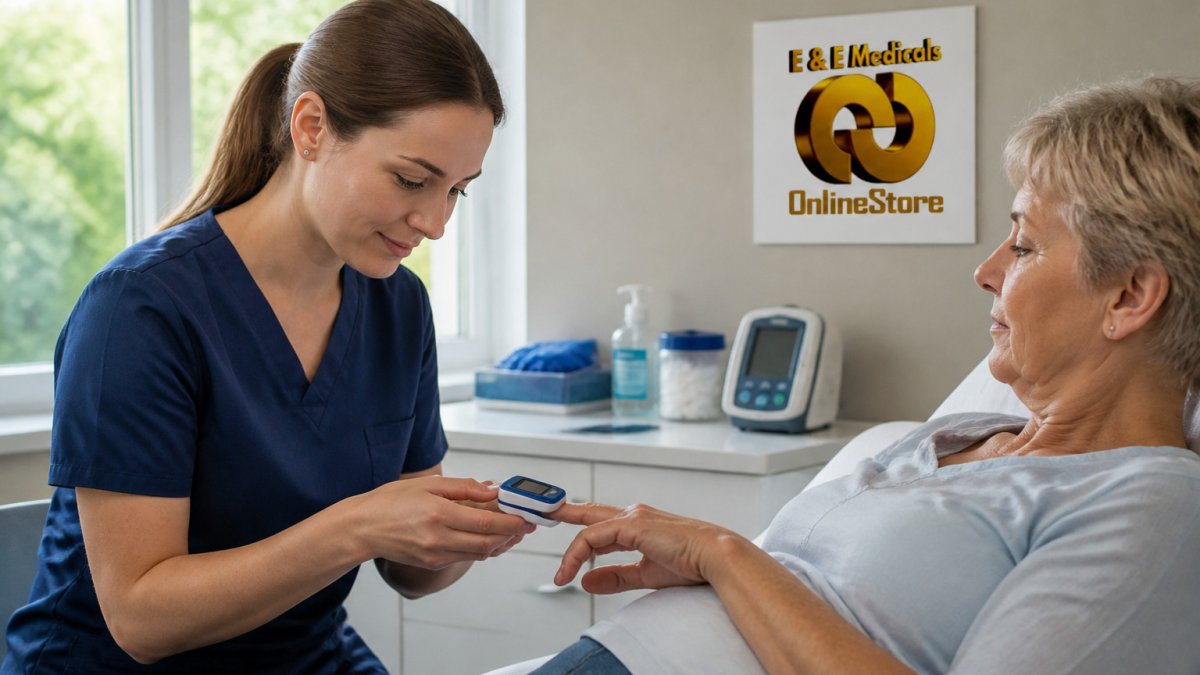
- Check the battery and power. Replace the batteries if the screen is dim or blank. On rechargeable units, confirm the charge indicator is not in its low state. A weak battery can power the display but weaken the light signal enough to prevent a reading.
- Confirm the device is actually on and sensing. Most fingertip units show a pulse wave or a blinking indicator when a finger is detected. If nothing blinks, the finger may not be seated deep enough in the clip.
- Remove nail polish from the finger you are using, if possible. Dark polish, gel, and artificial nails block the light path; if you cannot remove it, switch to a bare finger.
- Warm the hands. Rub the fingers together or hold them under warm water for a minute. Cold fingers constrict blood flow and are one of the most common reasons a device shows no signal.
- Place the finger correctly. Push the fingertip fully into the clip, with the nail facing up and the pad of the finger resting over the sensor window. A fingertip that is too far in or too far out scatters the light.
- Keep still. Rest the hand on a table and do not talk or move during the reading. Even small hand movements interrupt the signal.
- Switch fingers. Try the index or middle finger on the same hand. These usually have better blood flow than the thumb or pinky.
- Turn off room glare. Cover the sensor or move away from direct sunlight or strong lamps. External light can overwhelm the detector.
If none of these steps produce a number after a few tries, the device may be faulty. Try a second device to confirm. If a second device reads normally on the same finger, the first unit is the problem; if both fail, revisit the finger, warmth, and placement steps before assuming either device is broken.
The article's troubleshooting steps for a device that shows no reading, with the action and the timing or frequency it gives for each.
| Step | What to do | Time or frequency |
|---|---|---|
| Check battery and power | Replace batteries if the screen is dim or blank | Before each attempt |
| Confirm device is sensing | Look for a pulse wave or blinking indicator | Immediately on placing finger |
| Remove nail polish | Use a bare finger if polish cannot be removed | Before measuring |
| Warm the hands | Rub fingers together or hold under warm water | About 1 minute |
| Place the finger correctly | Push fingertip fully in, nail up, pad over sensor | At each placement |
| Keep still | Rest hand on a table and do not move or talk | Throughout the reading |
| Switch fingers | Try index or middle finger on the same hand | If the first finger fails |
| Turn off room glare | Cover sensor or move away from sunlight or lamps | Before measuring |
How to Get an Accurate Pulse Oximeter Reading
A good reading depends mostly on setup. Follow these habits each time you measure.
- Sit or lie down for a few minutes before measuring
- Keep the hand at heart level, resting on a table or lap
- Use a finger with a clean, bare nail
- Make sure the finger is warm and the nail is facing up
- Wait until the number and pulse wave look steady
A common mistake is measuring right after walking or climbing stairs. Physical activity raises pulse and can make the first reading unreliable. Give the body a few minutes to settle first.
Fixing a Pulse Oximeter Reading That Keeps Fluctuating
A number that jumps around is usually caused by motion or a weak signal. Try these fixes in this order:
- Stop moving the hand. Even small shakes change the reading.
- Check the pulse wave on screen. A clear, steady wave means a good signal.
- Reposition the finger. Remove it, wait a moment, and place it again.
- Warm up cold fingers and try again.
- Move away from bright light such as a lamp or window.
If the number keeps changing after these steps, measure again after a short rest. Note whether the change tracks with movement or stays random.
How Long to Leave a Pulse Oximeter On Before Trusting the Number
Most devices need about 10 to 30 seconds to show a stable result. Many models display a number within seconds, but the number may still drift as the device settles.
How to confirm a stable reading:
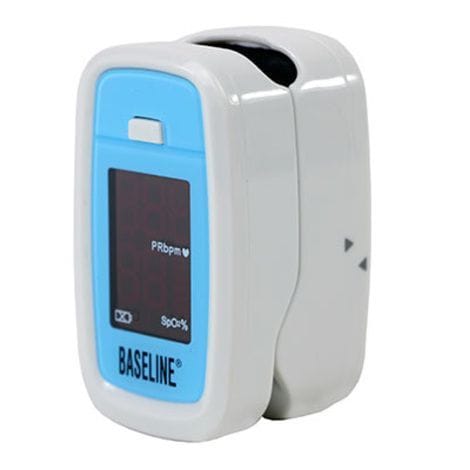
Baseline Fingertip Pulse Oximeter →
- Rest first. Sit or lie down for a few minutes before measuring, especially after walking or climbing stairs. Activity raises pulse and can make the first reading unreliable.
- Watch the pulse wave, not just the number. A clear, steady wave on screen means a good signal. A flat, jagged, or absent wave means the device is struggling, regardless of what number is displayed.
- Wait for the number to hold. Give the device 10 to 30 seconds and watch whether the SpO2 value stays within a narrow range. A number that holds steady for at least 10 seconds is more trustworthy than one that appears and immediately changes.
- Repeat the measurement. Remove the finger, wait a moment, and measure again on the same finger. Then measure on a different finger. Consistent values across repeats and fingers suggest a real reading; values that swing widely suggest a setup or device problem.
- Cross-check the pulse. Compare the pulse rate shown on the oximeter with a manual count or a second device. A pulse that is wildly inconsistent with the SpO2 reading is a sign the signal is poor.
How to recognize a device malfunction:
- The same finger reads normally on a second device but not on the first.
- The device shows a pulse wave but repeatedly fails to produce an SpO2 number.
- Readings are erratic across multiple fingers and after warming and repositioning.
- The display dims, flickers, or resets during measurement.
A common pattern is a device that works well on warm, bare fingers but fails consistently on cold hands or polished nails, that is a limitation, not necessarily a malfunction. Persistent failure across normal conditions, or failure that follows the device rather than the finger, points to a faulty unit.
Device Differences and Limitations Across Models
Not all pulse oximeters work the same way. Fingertip models are the most common and easiest to use. Handheld models often have larger screens and data storage. Clinical-grade units are built for hospital or facility use.
Keep these limits in mind:
- Basic home units may struggle with cold hands and poor circulation
- Some devices show a pulse wave, which helps you judge signal quality
- Battery-powered devices may read poorly once batteries run low
- No device replaces medical judgment when a reading is concerning
Check your device's manual for its stated accuracy range and any known limits.
When a Reading Needs Urgent Medical Attention
Some readings are serious enough to act on right away. Call emergency services or seek urgent care if a low reading comes with symptoms such as:
- Chest pain or pressure
- Trouble breathing or fast, shallow breaths
- Confusion, dizziness, or fainting
- Blue or grey lips or fingertips
- A reading that stays low even after you have fixed the setup
Do not wait to see if the number improves in these cases. When in doubt, get help.
Choosing a Reliable Pulse Oximeter for Your Facility
For a clinic, home health team, or care facility, choose a device that matches how often it will be used and who will use it. We recommend looking at display clarity, battery life, and how well the device handles weak signals.
Some options from our catalog to review:
- Baseline Fingertip Pulse Oximeter: a compact fingertip model with a large display that shuts off automatically when not in use.
- Graham-Field DigiO2 Finger Pulse Oximeter: a compact model with a bar-graph display that can be read from any angle, suited to EMS, hospital, and home use.
Before buying, check the warranty, replacement battery supply, and whether the device fits your daily workflow. Before trusting a device, you can learn how to verify medical equipment quality.
Frequently Asked Questions
Why is my pulse oximeter not giving a reading?
The most common causes are a sensor that is not seated fully over the fingertip, a finger that is too cold or has poor blood flow, nail polish or artificial nails blocking the light path, and low batteries. Remove the device, warm the hands, clean the nail, reseat the finger with the nail facing the top of the sensor, and check the battery level. If the device still shows no waveform or pulse after these steps, try a second device to determine whether the fault is with the unit or the patient setup.
How long should you leave a pulse oximeter on to get an accurate reading?
Keep the finger still in the sensor for about 10 to 30 seconds, until the pulse rate and SpO2 number stop changing and the waveform appears steady. Readings that jump around in the first few seconds are normal during settling. If the numbers remain unstable after about 30 seconds, reposition the finger, warm it, or remove any nail covering before measuring again.
When should I worry about a pulse oximeter reading?
A SpO2 reading of 95% or higher is generally considered normal, while a reading of 92% or less suggests blood is not well oxygenated. Seek urgent medical attention if a low reading is accompanied by chest pain, shortness of breath, confusion, bluish lips, or a very fast heart rate, and do not rely on the device to decide whether symptoms are serious. If the device gives a low number but the person looks and feels well, repeat the measurement after fixing placement and warming the finger before drawing conclusions.
Can cold hands or nail polish affect a pulse oximeter reading?
Yes. Cold hands and poor circulation reduce the blood flow the sensor detects, which can cause no reading or an unstable one. Nail polish, especially dark colors, and artificial nails can block the light the sensor uses. Warm the hands, remove the polish or artificial nail from the measured finger, and retake the reading. The Baseline Fingertip Pulse Oximeter from E&E Medicals is a compact option for routine spot checks once placement is correct.
Get the right pulse oximeter for your team, and troubleshoot readings with confidence. Shop with E&E Medicals and Consulting Inc for professional-grade clinical devices.